AI clipping for gameplay
The biggest event of the year.Start clipping now!
Optimised for gameplay videos
Paste a YouTube link or upload your footage. Hypevideoshorts finds the action, adds captions and cuts vertical clips ready for TikTok, Shorts and Reels.
You can also upload an MP4.
That was
insane
How it works
Built for gaming. Nothing else.
Hypevideoshorts is specialised in gaming clips.
Faceless gaming creators can create endless clips of the latest in gaming.
- 01
Paste or upload
Paste a YouTube link or upload the MP4.
- 02
AI analyses the video
It watches the gameplay and picks the moments worth a clip.
- 03
Out comes a ready-to-post clip
For TikTok, Shorts and Reels, including captions, hook and description.
What you get
Clips that look finished, not auto-cut.
 01
01Design your own real-time captions
Size, font, karaoke, all down to your personal taste.
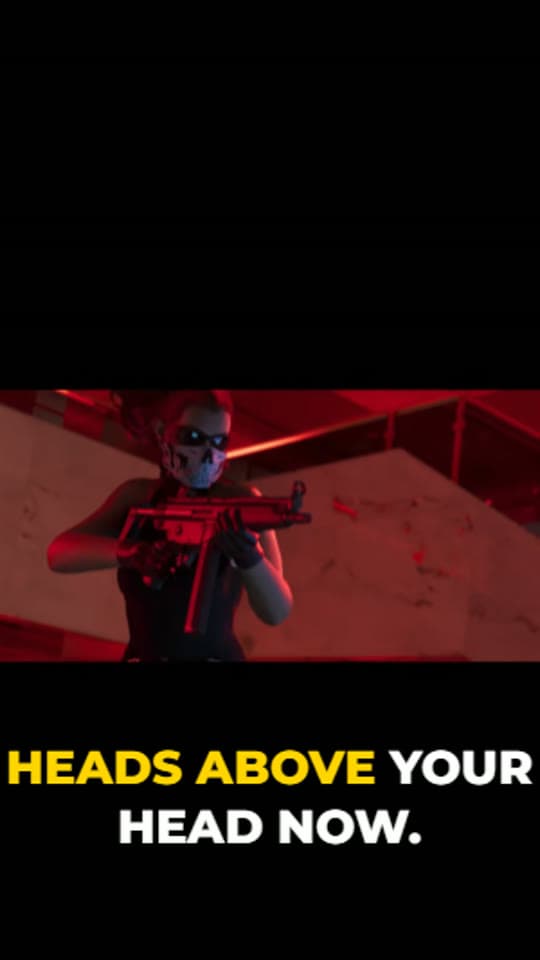
Full frame 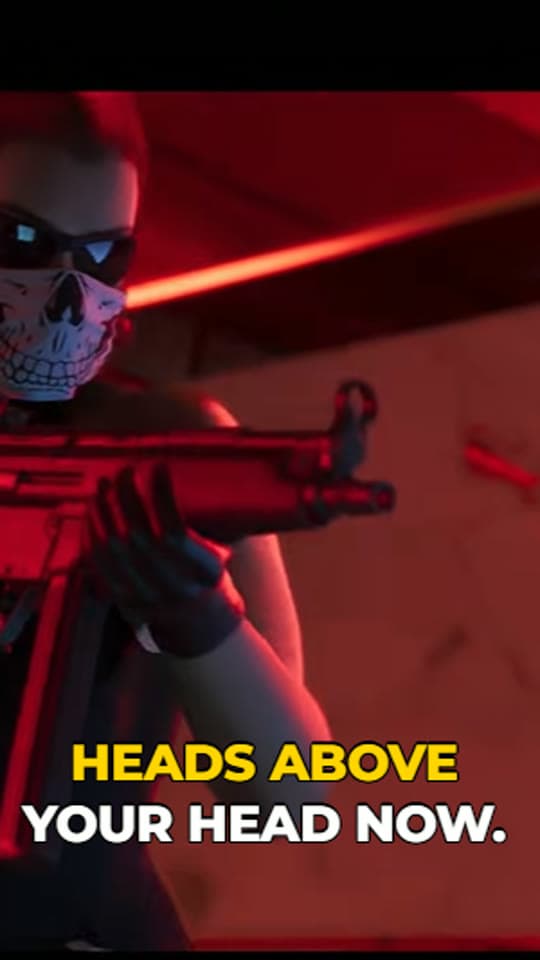
Vertical 02Your preferred style
Every clip comes out in 9:16. Whether the gameplay fills the frame or stays 16:9 is your call.
 03
03Ready to post
A hook headline and a description including hashtags. The AI researches the best captions, hashtags and descriptions so you can publish your short right away.
Screenshots from Hypevideoshorts. Game footage belongs to its publisher.
Start creating your first piece of content.
Already have an account?